


Key Takeaways
- Most developers learn APIs as “the thing you call to get JSON.” That view hides the real skill: understanding how independent systems agree to talk to each other.
- There is no “best” API style. REST, GraphQL, SOAP, gRPC, WebSockets and webhooks each solve a different problem, and choosing the wrong one creates cost you pay for years.
- An AI model on its own can only produce text. APIs are what let it search data, trigger workflows and take real actions, which makes API knowledge an AI skill, not just a backend skill.
- A raw endpoint is not a production API. Rate limiting, authentication, routing, monitoring and documentation decide whether your API survives real traffic.
- Frameworks change every few years. The core loop (define endpoint, accept request, validate input, run logic, return response) has stayed the same for decades.
Open Instagram, and your feed appears in under a second. Have you ever stopped to ask where those posts actually came from?
Your phone didn’t create them. The app sent a request to a server somewhere, and an API carried the posts back. The same thing happens when you pay online, check a map, log in with Google or chat with an AI assistant.
Most tutorials treat APIs as a backend topic. Something only “API developers” need to worry about. Frontend engineers, data people, product folks and AI builders often skip it.
That’s a mistake.
This is APIs explained the practical way. In this guide, I’ll walk you through APIs from the ground up: the basic concepts, the major architecture patterns and their trade-offs, how APIs power AI applications, the infrastructure that sits behind every serious API, and the frameworks you can use to build your own. By the end, you’ll know how modern software actually works together.
Every Engineer Is an API Engineer Now (Whether They Admit It or Not)
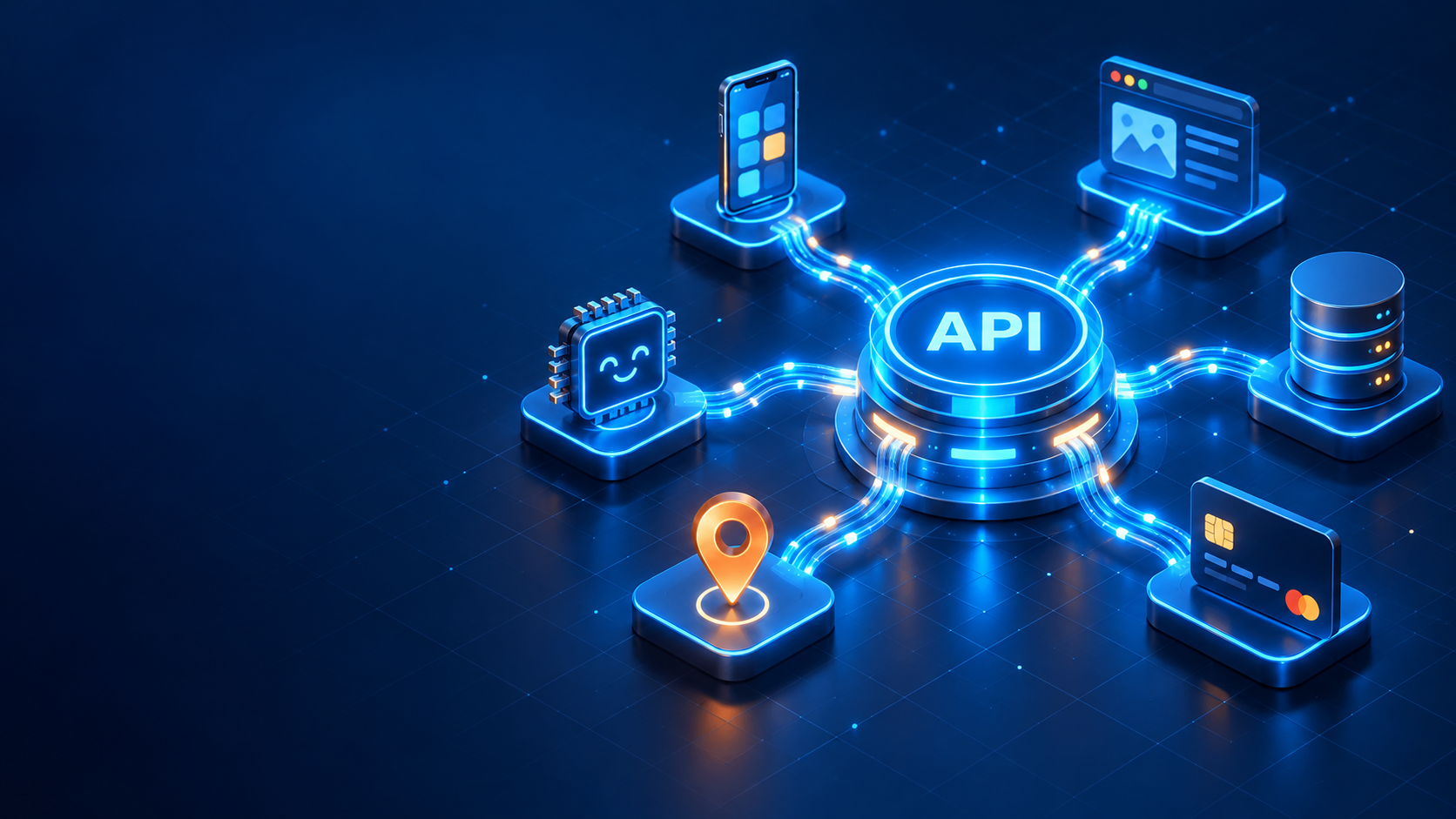
An API (Application Programming Interface) is a controlled way for two software systems to talk to each other. On one side is the client: a website, a mobile app or an AI agent. On the other side is the server, where your data and business logic live. The API is the contract between them.
Here’s why this matters more today than ever. Modern applications are no longer built as one giant program. They are assembled by connecting services: payments, maps, authentication, databases, search, business tools and AI models.
Industry surveys such as Postman’s annual State of the API report have consistently found that a large majority of organizations now describe themselves as “API-first.” In other words, the API is designed before the app, not bolted on afterwards.
So if you understand APIs, you understand how software is stitched together. If you don’t, you’re working with a black box.
The Four Verbs That Run the Web
Web APIs communicate through HTTP methods. Each method tells the server what kind of action you want on a resource: For the full list of methods and status codes, the MDN HTTP methods reference is a great bookmark.
- GET: Read or fetch data. A GET request should never change anything on the server.
- POST: Create something new or send data for processing.
- PUT / PATCH: Update existing data. PUT usually replaces the whole resource; PATCH changes only specific fields.
- DELETE: Remove data.
Anatomy of a Real API Request
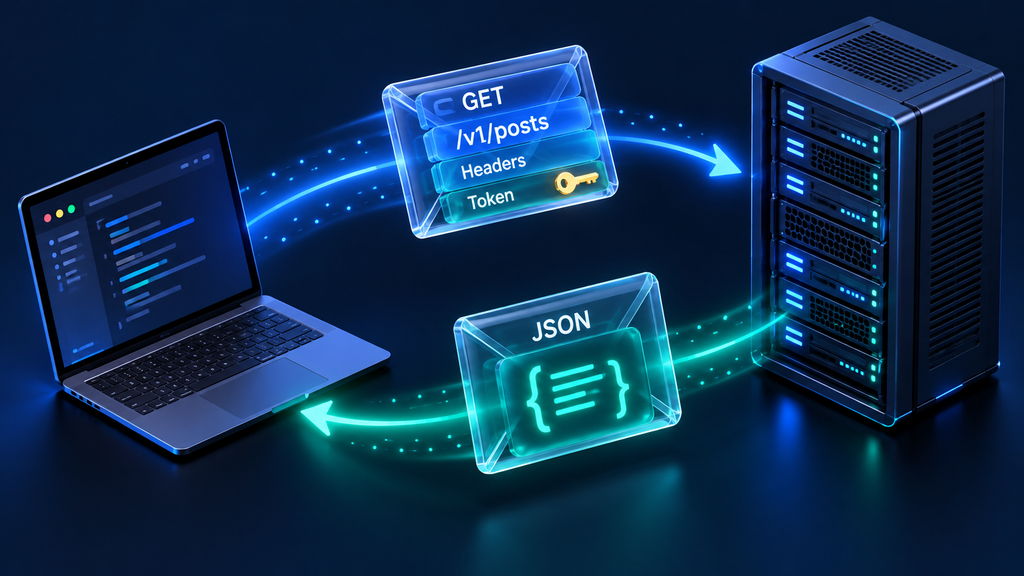
Let’s break down a typical REST request line by line:
GET /v1/posts?filter=published&sort=-created_at&page=2&page_size=20
Host: api.example.com
Authorization: Bearer eyJhbGciOiJIUzI1NiIsInR5cCI6IkpXVCJ9...
Accept: application/json- Method (GET): We’re asking the server to read data.
- Path (/posts): The resource we want.
- Version (/v1): APIs evolve. Versioning lets you ship changes without breaking apps that depend on the old behavior.
- Query parameters:
filternarrows the results,sortorders them, andpage+page_sizecontrol pagination, so the server doesn’t dump thousands of records at once. - Authorization header: Proves who you are, usually with a token.
- Accept header: Tells the server we want the response in JSON.
That token is typically a JWT (JSON Web Token): a compact, signed string that carries three things: who you are, what you’re allowed to do, and when the token expires. The server doesn’t need to look you up in a database on every request. It verifies the signature and trusts what’s inside. That’s why JWTs are so common in APIs: they’re stateless, fast and self-contained.
A POST request looks different because it carries a request body:
POST /v1/posts
Content-Type: application/json
Authorization: Bearer <token>

{
  "title": "My first API post",
  "body": "APIs are the nervous system of software."
}
The server usually responds with the newly created object and a 201 Created status code. To test requests like these without writing any frontend code, use a tool like Postman, Insomnia or Bruno: pick a method, enter the URL, add headers and a body, hit send and inspect the response.
The “Just Use REST” Trap (and Why One Style Doesn’t Fit Every Problem)
Most beginners learn REST and stop there. Then they hit a real-time chat feature, a payment callback or a high-traffic microservice, and REST starts to hurt.
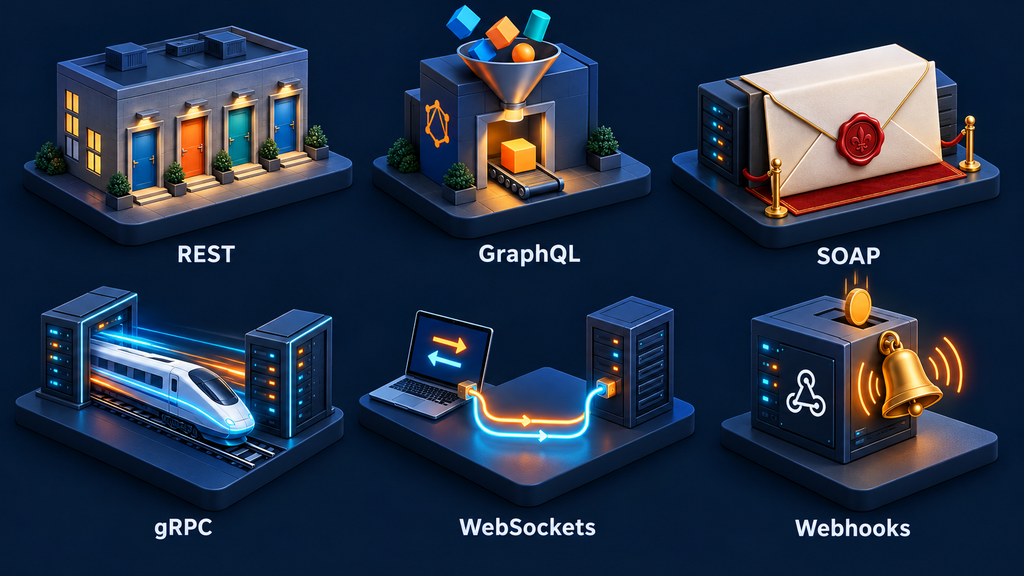
Every API architecture is a set of trade-offs. Here are the six you’ll meet most often.
1. REST: The Default Language of the Web
REST is the most widely used web API style. The client sends an HTTP request (GET, POST, PUT, PATCH, DELETE) to a resource such as /users or /orders, and gets back JSON. It’s stateless, resource-oriented and easy to learn. For a hands-on walkthrough, see my guide to REST API development for web and AI apps.
The downside: over-fetching (getting more data than you need) and under-fetching (not getting enough, so you make another call). Related data often lives behind several endpoints, which means multiple round trips.
2. GraphQL: Ask for Exactly What You Need
GraphQL was built to fix REST’s fetching problem. Instead of hitting /users and then /posts, you send one query to a single endpoint and list the exact fields you want. The response matches the shape of your query. The official GraphQL documentation covers queries, mutations and schemas in depth.
The trade-off moves to the server. GraphQL adds complexity on the backend, caching is harder because almost every query is unique, and badly written queries can put heavy load on your database.
3. SOAP: The Formal Veteran
SOAP is older and stricter. It uses XML envelopes and formal contracts. You’ll still find it in banking, telecom, government and large enterprise systems, so don’t be surprised when you meet it. The main cost is verbosity: it’s slower to work with and overkill for most modern projects.
4. gRPC: Built for Speed Between Services
gRPC replaces JSON with Protocol Buffers, a compact binary format, sent over HTTP/2. It’s extremely fast and strongly typed, which is why it’s popular for internal microservice-to-microservice communication, where performance matters more than human readability. You can explore the protocol on the official gRPC site.
The cost: binary payloads are harder to debug, browser support is limited compared with REST, and you need more tooling to get started.
5. WebSockets: The Conversation That Stays Open
WebSockets keep a persistent connection open between client and server. Instead of request → response → done, both sides can send messages at any time. That’s ideal for chat apps, live dashboards, multiplayer games and streaming updates. Ready to try it? Here’s how to build real-time web apps using WebSockets.
The catch is scale. Every open connection consumes server resources, so supporting hundreds of thousands of users needs careful planning.
6. Webhooks: Don’t Call Us, We’ll Call You
Webhooks flip the normal flow. Instead of your app repeatedly asking “did anything change?”, another system calls your API when an event happens. Stripe can notify your server when a payment succeeds. GitHub can ping you when code is pushed.
Webhooks are efficient and event-driven, with no wasted polling. But your endpoint must be publicly reachable, and you have to handle retries, failures and duplicate events carefully.
API Patterns at a Glance
| Pattern | Format | Best For | Main Trade-off |
|---|---|---|---|
| REST | JSON over HTTP | Public, resource-based APIs | Over/under-fetching, many endpoints |
| GraphQL | JSON, single endpoint | Flexible frontend data needs | Server complexity, harder caching |
| SOAP | XML envelopes | Strict enterprise contracts | Verbose and slow to work with |
| gRPC | Protocol Buffers over HTTP/2 | Fast internal service-to-service calls | Harder debugging, limited browser support |
| WebSockets | Persistent two-way messages | Chat, live dashboards, games | Open connections are costly at scale |
| Webhooks | HTTP POST with JSON | Event notifications | Needs public endpoint, retry handling |
Why Your AI Model Is Useless Without APIs
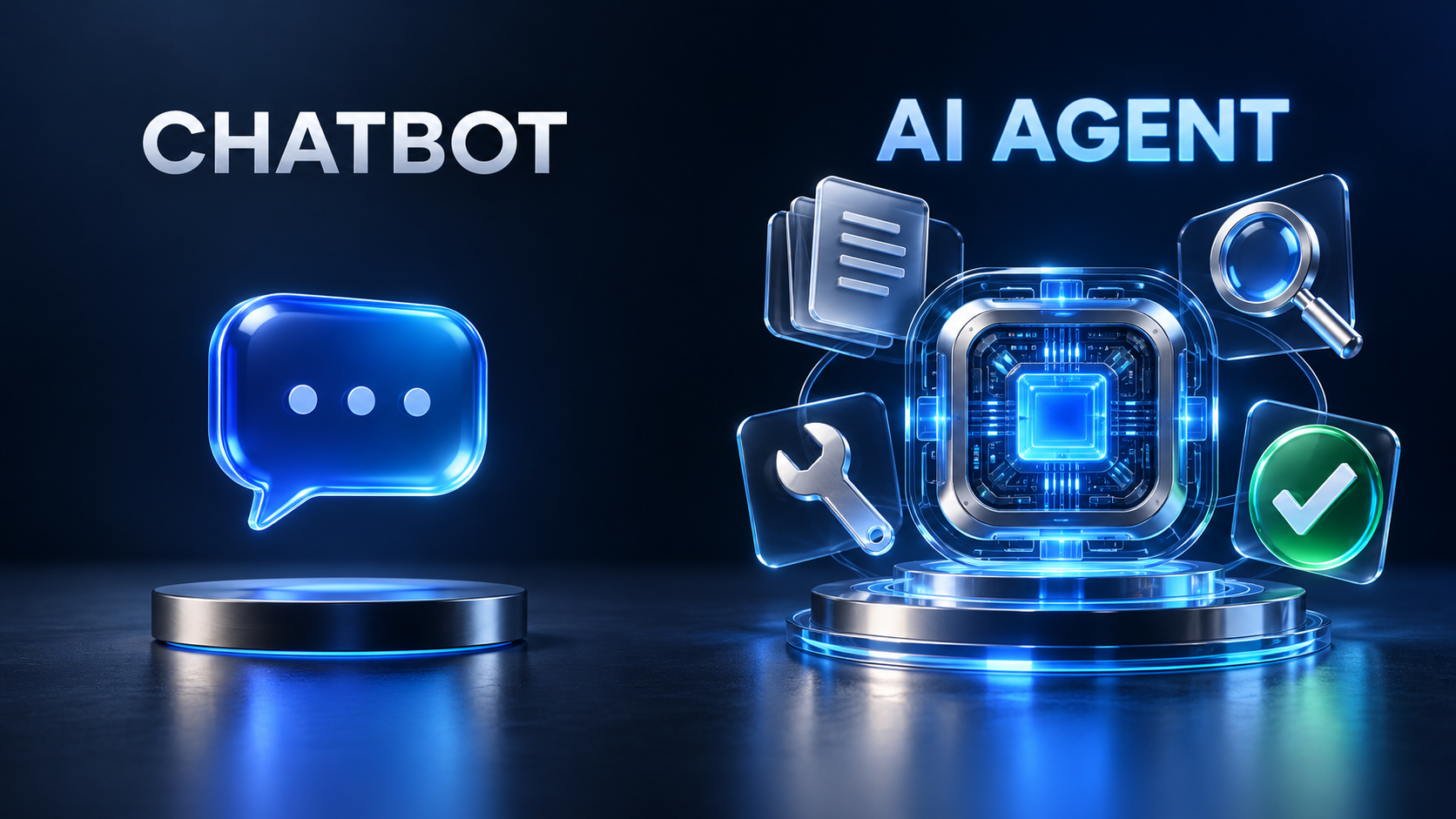
A language model on its own can generate text. That’s it. It can’t check your calendar, look up an order or book a ticket.
APIs are what turn a model into an application. In AI apps, they do three jobs. I call this The Call-Connect-Coordinate Model:
- 1. Call (talking to the model): Your app sends text, images, audio or structured input to a model API and receives the generated output. This is the most basic AI integration, and every AI product starts here.
- 2. Connect (giving the model tools): The model decides it needs outside help: a search API, a database API, a calendar API or an internal business API. This is called tool calling or function calling, and it’s what lets AI act on real data instead of guessing.
- 3. Coordinate (orchestrating workflows): Real AI apps chain many calls together: retrieve context, call the model, validate output, call another tool, save the result and respond to the user. This orchestration layer is where most of the engineering effort goes.
What a Model API Call Looks Like
Most AI providers expose REST endpoints authenticated with an API key sent as a Bearer token. A simplified request looks like this:
POST /v1/responses
Authorization: Bearer $API_KEY
Content-Type: application/json

{
  "model": "your-model-name",
  "input": "Summarize this support ticket in two sentences."
}
The response contains the generated output, some metadata and usage information (how many tokens you consumed, which is how you’re billed).
Many platforms now offer an OpenAI-compatible API. That means they copy familiar endpoint shapes, authentication style and request format, so you can switch model providers with minimal code changes.
Ever noticed how a chatbot starts typing its answer before it has finished thinking? That’s streaming. The response arrives token by token or event by event (often via Server-Sent Events or WebSockets) instead of all at once.
MCP: One Connector, Any Model
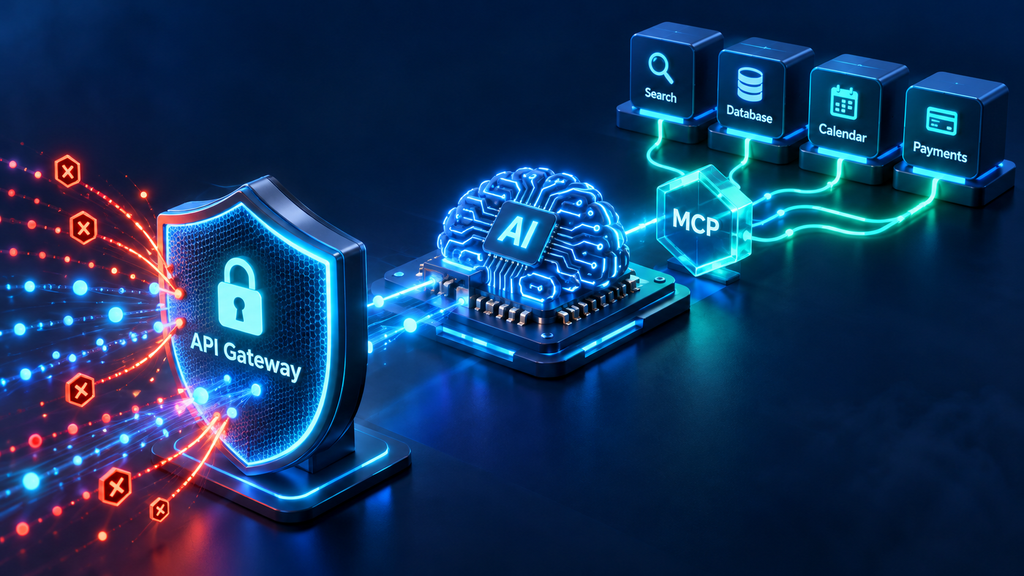
As AI apps grew, every tool integration was built from scratch. Custom search connectors, custom database access, custom everything. Switch model providers, and your connectors broke. The Model Context Protocol documentation explains the spec, and you can see it in practice when you build an AI agent with Google ADK.
The Model Context Protocol (MCP) was introduced to fix this. It’s an open standard that defines how AI applications connect to external tools and data sources. Build a connector once, and any app that speaks MCP can use it.
Here’s where MCP sits in the flow:
- A user sends a request to your application.
- Your app forwards it to the model.
- Mid-generation, the model decides it needs external context or an action.
- The MCP client sends that request in a standard format.
- The MCP server, sitting in front of your tools, handles it, no matter what system is behind it.
- The result flows back into the model’s context, and generation continues.
A Raw Endpoint Is Not a Production API
An endpoint is just a function running on a server. Expose it directly to the internet, and the first traffic spike or bad actor will take it down. Start with these API security best practices for web apps and my guide on authentication and authorization, then learn how to scale AI APIs for production.
In production, you put an API gateway in front of it. Think of the gateway as a middleware layer that does essential work before a request ever reaches your code:
- Rate limiting: If a client fires 10,000 requests at once, the gateway rejects the excess before your server is overwhelmed.
- Authentication and authorization: It checks API keys, JWTs and other credentials, and enforces plan limits. A basic-tier user doesn’t get pro-tier models.
- Routing: It sends each request to the right backend service.
- Logs and metrics: Response times, error rates and token usage per client, all in one place.
Popular choices include Kong, AWS API Gateway, Azure API Management, Google Apigee and NGINX.
Two more pieces are non-negotiable. Monitoring tells you when things break (tools like Datadog, Prometheus and Grafana). Documentation tells other developers how to use your API (tools like Swagger UI built on the OpenAPI specification). An undocumented API is an API nobody uses correctly.
Tools Change, the Core Loop Doesn’t: Build Your First API
The fastest way to understand APIs is to build one. If you know Python, Flask is a beginner-friendly, lightweight framework. You define a route, attach an HTTP method, write a function, and Flask handles the request/response cycle. When you’re ready to grow beyond a single endpoint, read how to build scalable backend APIs.
from flask import Flask, request, jsonify

app = Flask(__name__)

@app.get("/health")
def health():
    return jsonify({"status": "ok"})

@app.post("/summarize")
def summarize():
    data = request.get_json(silent=True) or {}
    text = data.get("text", "")
    if not text:
        return jsonify({"error": "text is required"}), 400
    summary = text[:100] + ("..." if len(text) > 100 else "")
    return jsonify({"summary": summary})

if __name__ == "__main__":
    app.run(debug=True)
/health is a GET endpoint that returns a simple status, which load balancers and monitoring tools use to check your service is alive. /summarize is a POST endpoint that reads JSON, validates the text field and returns a JSON response. Swap the placeholder logic for a model API call, and you’ve built your first AI-powered endpoint.
Other frameworks do the same job in different ecosystems:
| Framework | Language | Why People Pick It |
|---|---|---|
| Flask | Python | Minimal and beginner-friendly |
| FastAPI | Python | Fast, type hints, auto-generated OpenAPI docs |
| Django REST Framework | Python | Large Django applications |
| Express.js | Node.js | Lightweight, huge ecosystem |
| Spring Boot | Java | Enterprise systems |
| ASP.NET Core | C# / .NET | Microsoft environments |
Notice the pattern. Whatever tool you choose, the job is identical: define endpoints, accept requests, validate input, run logic, return responses. Learn that loop once, and every new framework is just new syntax.
Your next project: build a small AI-powered web app with Flask. Add a few routes, implement basic CRUD (create, read, update, delete) operations, connect one model API, write unit tests, and deploy it to a live server. That single project will teach you more than ten tutorials.
FAQs
What is an API in simple words?
An API is a set of rules that lets one piece of software request data or actions from another. Think of it like a waiter: you (the client) place an order, the waiter (the API) takes it to the kitchen (the server), and brings back your food (the response). You never need to know how the kitchen works.
What is the difference between REST and GraphQL?
REST exposes many endpoints, one per resource, and each returns a fixed data shape. GraphQL exposes a single endpoint where the client asks for exactly the fields it needs. REST is simpler and easier to cache; GraphQL is more flexible but adds server-side complexity.
When should I use webhooks instead of an API call?
Use webhooks when you need to know the moment something happens in another system, like a successful payment or a new code push. Polling an API every few seconds wastes resources and still adds delay. Just make sure your webhook endpoint is public, verifies signatures and handles duplicate events safely.
How do APIs work in AI applications?
AI apps use APIs to send input to a model and get output back, to give the model access to tools like search or databases, and to chain multiple steps into a workflow. Without APIs, a model can only produce text. With them, it can retrieve real data and take real actions.
What is MCP and why does it matter?
MCP (Model Context Protocol) is an open standard for connecting AI applications to external tools and data. Instead of writing a custom connector for every model, you build one MCP server and any MCP-compatible app can use it. It reduces duplicate work and prevents lock-in to a single model provider.
Conclusion
APIs aren’t a niche backend topic. They are the nervous system of modern software, the layer that lets payments, maps, databases and AI models work as one product.
Learning them well means going beyond “call the endpoint, get JSON.” Understand the HTTP basics, know which architecture fits which problem, respect the infrastructure that keeps APIs alive in production, and see how they turn AI models into working systems.
The stakes are rising. As AI agents start calling APIs on our behalf, the engineers who understand how systems communicate will be the ones designing what those agents can do.
So don’t skip this skill. Open Postman, call a public API today, then build your own with Flask this week.
Build Along With Me: Want to see this API built step by step on screen? Subscribe for practical, build-along tutorials where we go from blank file to deployed app, with the “why” behind every step.

Kamran Afzal is a passionate programming mentor dedicated to helping aspiring developers become proficient in Drupal. With extensive industry experience, Kamran is committed to sharing his knowledge and guiding learners from beginner to advanced levels. His YouTube channel, Programming Mentor, offers clear and engaging tutorials on a variety of topics. Skills: Drupal 9, 10, 11, PHP frameworks, AWS, React, Angular, Node.js, MySQL, Apache, Nginx, Apache Solr, Elasticsearch, Memcache, REST API, Git, Twig

0 Comments